Sunday, January 30, 2022

Where Should Your Desk Be in a Bedroom?

A desk may be your center of work and play but finding room for it as well as the perfect desk placement can be a challenge.  

Whether it’s your work-from-home space, where you play your favorite video games or just surf the internet, desks are often winding up in bedrooms. 

Bedroom desk placement can bring privacy and quiet by simply closing the door, and it takes the desk out of the home’s common spaces such as the living room, kitchen, and dining area. We've also included tips for a small bedroom in this article - some clever positioning of furniture can result in more than enough space for an office space.

Having a home office may have skyrocketed in 2020, but not everyone has moved back to in-person work. Plenty of people enjoy the freedom and flexibility of working at home, either for themselves or others. Others love their gaming, so a desk inside the bedroom is perfect for playing video games with friends. Ideally, working from home would involve a separate and dedicated spot for a mini office, but not everyone has a spacious bedroom or dedicated space for their desk.

If you’re a student, a desk can be your spot for studying, researching classwork, and writing papers, as well as unwinding on the internet with social media or a game. This can be a perfect set-up for college students taking classes online. 

Before you create a desk space in your bedroom, start with a bedroom office layout. Consider where your desk should be for optimal use, efficiency, and enjoyment. Here are a few design factors to keep in mind as you create your perfect desk design for your bedroom.  

Which Way Should My Desk Face?  

Before moving a desk into your bedroom, you’ll need to decide which way your desk should face. Here are a few factors that will help you make this key decision.  

Lighting   

bedroom office desk

Bedroom lighting can be on the dim side since it’s where you’ll relax and sleep. Having the right lighting at a bedroom desk is essential to productivity. Add a desk lamp, a torch floor lamp, or a wall-mounted light fixture to provide more light if needed. 

Electrical Outlets  

No one wants to trip over extension cords. Your computer will need a power source, so a bedroom desk will need to be close to electrical outlets. Placing a desk along a bedroom wall can put a desk near the power source needed for computers and desk lamps and charging electronic devices. 

Window Location   

Keep natural lighting in mind, too. Beautiful natural light can be pleasant if your desk is by a bedroom window. You may find that natural light and a lovely view make placing your desk near bedroom windows a plus. If light from a window can be blinding at sunset, consider blinds that will help you control the room’s natural light as well as visual distractions. 

How Do I Feng Shui My Office Desk?  

Fengshui, the ancient Chinese design philosophy that seeks balance and harmony, is said to increase productivity, good luck, and happiness. Utilising feng shui principles for desk placement can make a pleasant bedroom space. 

Having an L-shaped desk in black is best for productivity. Make sure to keep clutter under control, whether you believe in bad feng shui or not. Feng shui experts also say that window and wall position are also important when it comes to a room's feng shui, so make sure you don't face your desk against a solid wall (which can block creativity) if feng shui is a concern!

Where To Place Your Desk in Your Bedroom   

Circling back to the original question of where to place your desk in your bedroom, there are multiple options for making the most of your space. Depending on the shape and dimensions of your bedroom, these desk locations could be the best options for creating your dedicated spot for desk-based work or play while leaving adequate space for movement as well as other furniture in your bedroom office combination. If you can't quite decide on a desk position or truly have minimal physical space, consider a portable desk with wheels or preferably a foldable one. You can have your desk pushed into a convenient corner when not in used, or pushed to have your desk facing the window while working for maximum window light.

At The Window  

desk beside a window

Placing your desk beside a window can provide natural light and a beautiful view, but make sure seeing the outdoors and other people won’t be possibly distracting during the workday. Also, glare from windows, background noise from outside, and drafts during the winter should be considered before you move a desk beside a bedroom window.   

Against The Wall  

If you're applying feng shui principles to your desk position, feng shui holds that desks shouldn’t face a wall for fear of the wall symbolizing career roadblocks. However, being beside a wall has the advantages of being close to an electrical outlet and having a place for hanging a calendar, whiteboard, shelves, or art. You could also have a wall-mounted desk, but it would be a smaller workspace.

If facing a wall makes you feel claustrophobic, add a motivational painting or mirror, or position yourself with a window to your side.  

Near or Opposite the Bed  

Putting a desk next to the bed can add to accessibility and may be a smart option for small bedrooms. Having a desk beside your bed can be too much of a blend of work and rest for some. 

During the workday, being beside your bed can make taking a nap tempting. Having work or studies too close to where you sleep can lead to insomnia, so keep them separate to see sleep quality improved. If you put a desk opposite your bed, you can keep your bed out of sight, especially if you have the bedroom space to place a screen between your desk and bed.

Position Your Desk in a Corner   

bedroom desk in a corner

An L-shaped desk can shine in a corner, giving you easy access as well as a larger working surface and efficient use of space for a work environment. Having a desk in a corner can keep a small bedroom from feeling cluttered. Just make sure there’s adequate lighting if your bedroom corner’s dark. Floating shelves are also a great option when it comes to L-shaped desks.

Desk Décor 

To control desktop clutter, add baskets, a cup for pens, and other organizers. Shelves or a credenza can hold books, work supplies, and other essentials in order to save space. To make your bedroom a dedicated workspace separate from your sleeping area, consider a folding screen so your bed won't be too distracting. Make the space feel like a separate work space with paint, wallpaper, or artwork. Add a plant and a favorite mug or water bottle to make your space and external surroundings personal and pleasant. 

Putting a desk in a bedroom can be a space-saving solution when you have limited space. Whether your entire desk space is for work, study, paying bills, or playing games online, having a dedicated spot for it in the bedroom can be a fabulous idea. With more people working or studying from home, dedicated desk space in a bedroom makes living space extremely functional despite the significantly smaller workspace. A monitor arm can also raise your computer screen to an ergonomic height as well as free up space on your full sized desk.

Keeping personal preferences, space, lighting, electrical outlets, extra space and window locations in mind will help you find the best place for your desk in your bedroom. Make sure you leave enough of a separation, visual or physical, between desk and bed to make your small space effective for work or fun for play while still being a restful place for sleep. 

Ready to purchase your new desk that's perfect for small spaces? Take a look at Desky's range of standing desks and get a great desk that suits your needs.


source https://desky.com.au/blogs/news/desk-position-bedroom

Sunday, January 23, 2022

The Best Gaming Desks for Small Spaces

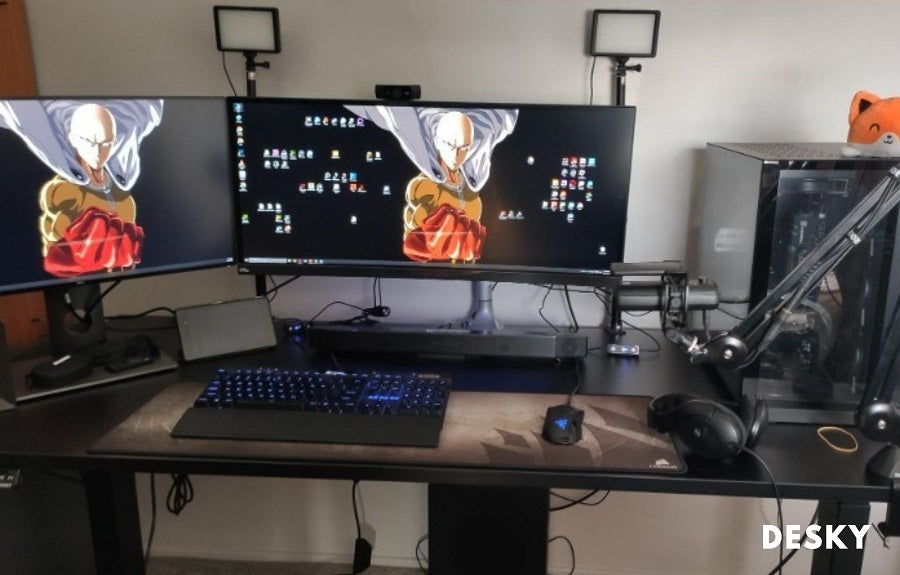
Your gaming space is a reflection of your personality. You want ample space to show off the investment you've made in your PC and equipment, whether you're sporting the entire Razer Quartz setup or just installed new LED-equipped fans in your CPU tower.

If your setup is in a tiny room, though, it can be tough to find gaming desks that fit without sacrificing space for your gaming PC, monitors, mouse, keyboard, headphones, and all those other essential gaming accessories.

Often, gamers choose other desks not perfectly designed for long hours of bashing enemies, but doing so can impact their health. Gaming desks are made to be completely adjustable so that you can maintain ergonomic posture and a comfortable chair position.

Some of the best gaming desks are actually standing desks, which lift to allow gamers to stand and play while still keeping everything at eye level. Our Desky gaming desks are designed with the best gaming experience in mind. Many of our models smoothly transition from a sitting to standing desk position with the least amount of hassle. That means you'll no longer have to take a break from your games when you need to stretch your legs!

Instead, at the click of a button, our gaming desk designed for a small space rises smoothly at the touch of a button, putting your entire setup at a comfortable level for on-your-feet play.

What Makes a Gaming Desk?

If you're on the hunt for a new desk, first spend some time researching the specs and extras available on gaming desks. You can outfit small gaming desks to meet all your needs, with features like multi-monitor support, monitor arms to keep the desk surface clear, gaming PC mounts, cable management, and even a cup holder!

dual gaming sit stand desk

Start at 600 mm deep, and increase in size if you can. A suitable gaming desk should fit in your gaming space without overwhelming the room, but it should still be large enough to handle everything you throw at it.

Of course, your gaming desk will also need room for monitors large enough to show every stunning detail of your favorite AAA games, as well as multiple screens for multitasking with achievement guides, your favorite chat program, or a playlist of YouTube videos perfect for a long day of level grinding.

PC mounts are another popular addition to a gaming setup because it creates additional desk space without leaving your precious rig on the floor. The same goes for monitor arms, but your gaming desk must be strong enough to support them without warping the desktop. Once you mount your monitor stand, a durable desk top with a high weight limit will eliminate edge bending.

Cable management is also necessary to keep everything organized, like that available for the Desky Single Sit Stand, Dual Sit Stand, and L-Shaped gaming desks. The best gaming desk for small rooms should have integrated channels for cable management. These provide power to your PC and other devices without cluttering the desk surface, especially for gamers who keep their charging stand, controller stand, wired mouse, and gaming consoles on their desktop.

A mini cable tray is another solid option if you have a compact gaming desk that has only just enough space for all of your gaming gear. They'll keep your cords out of sight, making your setup more organized. 

This gaming desk feature is essential for gamers who play across multiple platforms, as your gaming console cords should be separated from the PC cords in case you need to make quick adjustments to one or the other.

No gaming desk is complete without a place to store your headphones. A headphone hook keeps them out of the way until you're ready to join the in-game chat.

Finally, if you genuinely want the best gaming desk setup, you'll need a cup holder. Small gaming desks already run the risk of becoming overcrowded, which means a drink set on any uneven surfaces can result in a disaster. A gaming desk with enough room on the overhang lets you attach a cup holder and keep the compact size without risking spillage.

Are L-shaped Desks Good for Gaming?

an L-shaped gaming desk

An L-shaped desk is one of the best investments you can make for your gaming setup, especially if you're dealing with a small space that you work and play in. With other gaming desks, it's common to use different pieces of furniture, like side tables, to compensate for the lack of desk space.

On the other hand, L-shaped desks provide the opportunity for plenty of under-desk storage. If you use it exclusively as a standing desk, you can even put storage shelves underneath for even more space to hold books, games, and whatever else you need to tuck away below eye level.

Unlike large pieces of furniture, like dressers and entertainment stands, L-shaped desks also allow you to utilise wall space for shelves, storage, cable management, or a hanging monitor stand. Small spaces can transform into the best gaming experience of your life with the right gaming desk.

Best Gaming Desks for Small Spaces and Bedrooms

Choosing the right gaming desk for a small space can feel like an impossible task. You have to carefully balance the proportions while still providing enough room for everything from your keyboard to your favorite drink.

Having a tiny space for your gaming desk doesn't mean you can't have an enjoyable gaming experience, though. It's just a matter of deciding what features are most important to you and which you're willing to do without.

With enough time and research, you just might be able to find a desk that suits your style perfectly, provides support for ergonomics, and includes adequate storage to keep everything tidy. Also consider the weight of your monitor when deciding on your purchase. So, what's the best gaming desk to buy if you're working in a tiny room? We've gathered up a few of our favorite options to help you decide!

Desky Single Sit Stand Gaming Desk

single sit stand gaming desk

The Desky Single Sit Stand is the perfect height adjustable gaming desk for small rooms. It's ideal for console gaming with a single monitor but has 80kg of upward lift to effortlessly support more complicated setups with multiple monitors.

You can customize this gaming desk according to the size of your room, with desktops available in a durable laminate surface in black or white, with dimensions of 1200 x 750 mm, 1500 x 750 mm, and 1800 x 750mm and programmable height control ranging from 73-123 cm.

Desky Alpha Dual Sit Stand Gaming Desk

Desky alpha dual sit stand gaming desk

With various desktop sizes to choose from, the Desky Alpha Dual offers plenty of surface area for all of your gamer accessories and supports multiple monitors. You won't miss a moment of the action!

If you need a gaming desk that offers even more space, though, there are options for gaming desk add-ons and features.

Add a Strap-on CPU Mount or Fixed CPU Mount to store your computer under your gaming desk securely, a Foldable Headphone Hanger to keep your headphones out of sight when you're not using them, and an Under Desk Drawer for handy storage without losing surface space.

Our Alpha Dual gaming desk also has a textured surface, so you can skip the mouse and keyboard pad and prevent sliding off uneven surfaces during intense battles. The minimalist, ultra-slim legs maximize under-desk room for additional storage, like the Desky GO Slimline Mobile Pedestal, but still provide a rigorous foundation that stays stable through every gaming session. 

If you want a gaming desk that puts your setup at the same level as your favorite pro gamers, this is the perfect desk for you.

Desky Sigma L-Shape Gaming Desk

Sigma L-shaped gaming desk

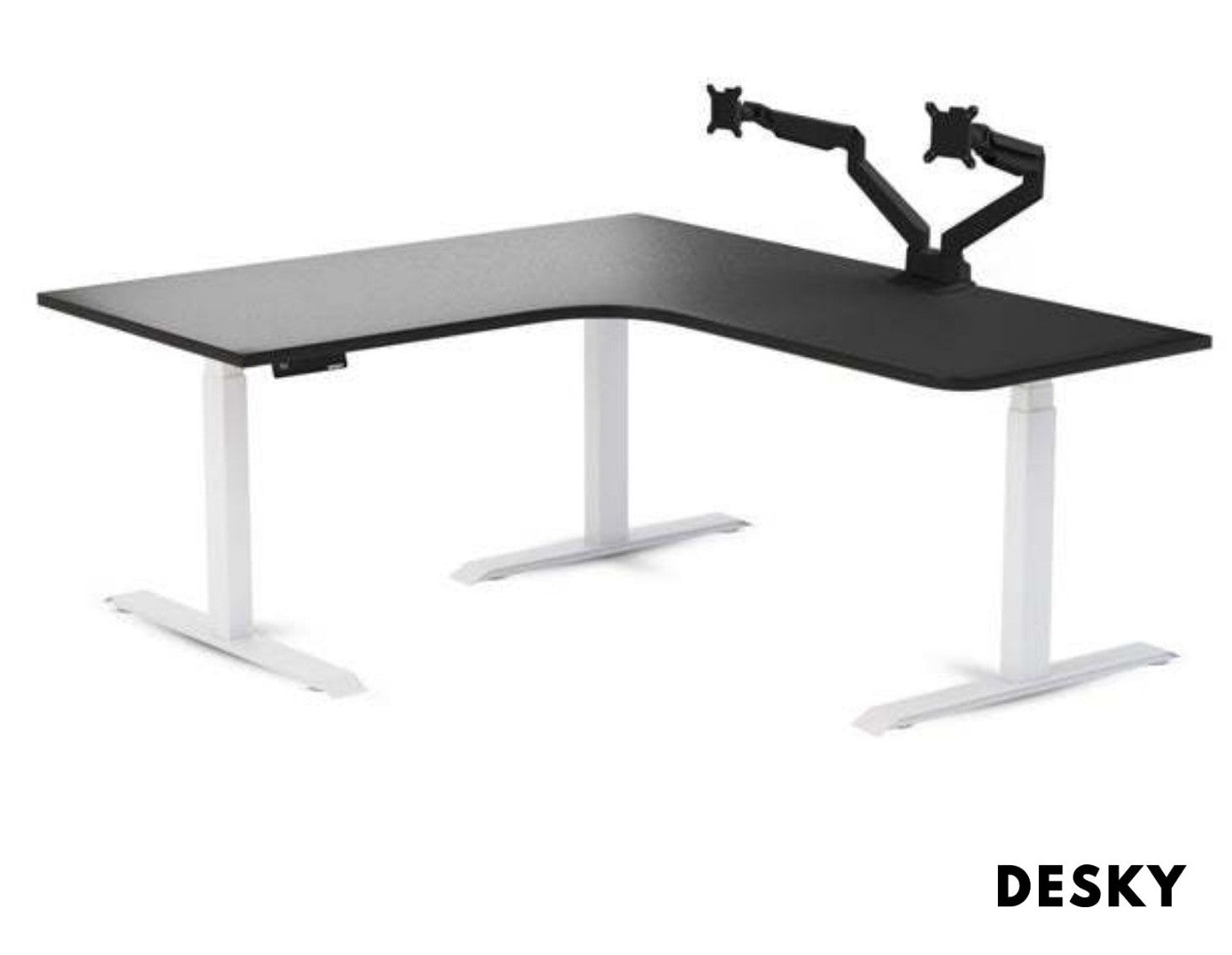
Take your gaming to the next level with the Desky Sigma L-Shape gaming desk. This impressively large gaming surface transforms any corner of your room into the right space for hours and hours of comfortable gaming.

This is one of the best gaming desks for a small space because it features more than enough room for anything you could ever dream of placing on your gaming desktop surface. Instead of cluttering up your desktop, opt for some of our best add-on features for periphery storage.

In addition to the generous 1600 x 1400 x 700 mm surface area, the 25 mm thickness provides plenty of front support for gaming accessories. It features a Dual Monitor Arm, Cable and Power Management Channel, and built-in single-touch digital lift control with a USB charging port.

Of course, you won't have to worry that your Desky Sigma won't be able to lift all of your gaming necessities. Our desk frames are designed with thicker legs for added strength and wider feet for sure-fire stability. They also features a unique triple motor lifting system for a total weight capacity of 200 kg.

Desky Ergonomic T LED Gaming Desk

Ergonomic T-led gaming desk

The Desky Ergonomic T LED Gaming Desk is the best gaming desk for small areas that you want to feel more like a large space. 

While this gaming desk has the smallest desktop surface, you won't have any trouble finding storage for everything you want to keep close at hand. The built-in hook for headphones and attached drink holder keep the tabletop surface clear. Additionally, unlike the traditional four legs design, the T-style leg design maximizes under-desk storage.

In addition to being one of the best gaming desks for practical reasons, it's also stylish! Love the aesthetic of LED gaming desks but don't want to bother with troublesome, sticky light strips? This gaming desk has lights built right into the edge banding for ambient lighting without lamps taking up valuable desk space. Then, there's even more room for your must-have gear and gaming desk setup. 

While the Desky Ergonomic T LED gaming desk does not include a lift motor, it's a solid middle-ground for a small space that can still support a multi-monitor gaming computer system.

Desky Dual Hardwood Sit Stand Desk

Desky dual hardwood sit stand desk

For many, the best gaming desks are those that offer a stylish and sustainable minimalist computer worktop. The Desky Dual Hardwood Sit Stand Desk offers unbeatable durability and style, thanks to its one-of-a-kind hardwood surface. Each piece has a unique grain and color, depending on the type of wood you choose.

We offer 1200 x 750 mm, 1500 x 750 mm, 1800 x 750 mm, and 2000 x 750 mm desktops in rich Walnut, bold Pheasantwood, understated White Oak, rustic Red Oak, utilitarian White Ash, and retro Teak.

Each desk also includes a built-in dual motor that can quietly lift up to 140 kg for late-night gaming sessions. You can swiftly move from sitting to standing without taking your eye off the prize and without worrying the noise might disturb your housemates.

Eureka Gaming Desk

Eureka gaming desk

If you're wondering what desks pro gamers use, you'll see that the Eureka Gaming Desk is one of the most talked-about gaming desk models. They're popular because of their size and overall design, but keep in mind that most of their accessories cost nearly as much as the desk itself. 

If you're looking for a full setup for your pc that includes things like monitor arms and a keyboard tray, remember to factor in the cost of accessories during your search. 

Typhoon Gaming Desk 

Typhoon gaming desk

The Typhoon Gaming Desk is another popular option with gamers but may not be optimal for a small space with its dimensions of 1500 W x 750 D x 750 H mm. While it does provide a solid work surface with a weight limit of 40kg, it lacks height adjustability. One nifty feature is the LED lighting that lights the desk up for great ambience during your gaming adventures.

Are Gaming Desks Worth It?

Gaming desks are certainly worth the investment if you want to maximize the available space in a small room. Without it becoming unwieldy or overbearing, you want a place for your keyboard, monitor, mouse, PC, and gaming consoles, not to mention your other devices.

alpha dual standing gaming desk

Your gaming desk should also keep you comfortable and active for hours of play in its company. A gaming desk that makes you feel cramped or uncomfortable isn't worth the cost, especially if it doesn't even have enough space for safe computer storage.

When looking for the best gaming desk for small spaces, focus on purchasing a gaming desk from a trusted company that will make you the most comfortable, give you an awesome gaming experience, and keep your body in peak condition so you can crush team raids without compromising on ergonomics. Take a look at our Desky range of sit stand gaming desks today!


source https://desky.com.au/blogs/news/best-gaming-desks-small-spaces

Sunday, December 12, 2021

Desk Maintenance Guide: How To Take Care Of Different Desk Tops

When you get your new desk setup and ready to go, you feel like you're on top of the world. Nothing beats that brand-spanking-new feeling that makes you more motivated and eager to spend time at your desk. Such an investment, however, also requires some care. Knowing how to properly maintain your desk will help you enjoy it in pristine condition for years to come.

The type of material your desk is made out of, as well as your general habits, will help you decide on the best strategies for care. This helpful guide is full of cleaning and maintenance tips to help you care for all types of desks, including plenty of general care suggestions that will prevent damage and wear and tear.

How Do You Take Care of a Desk?

There are some essential dos and don'ts that everyone should follow. Practicing these will keep your desk in tip-top shape at all times.

Dos of Desk Care and Maintenance

Make sure you always use a coaster for beverages, hot plates and bowls. Avoid eating at your desk whenever possible to prevent crumbs and liquid spills from entering your keyboard as well. If you do have any drips or if you spill water, make sure you dry your desk immediately. You can keep your desktop clean with a soft towel that is absorbent but non-abrasive when it comes to regular cleaning.

When you dust, use a dry cloth. If you need to clean light stains, then use warm water and gentle soap. Avoid any harsh cleaners with abrasive chemicals that can strip your desktop's wood finish.

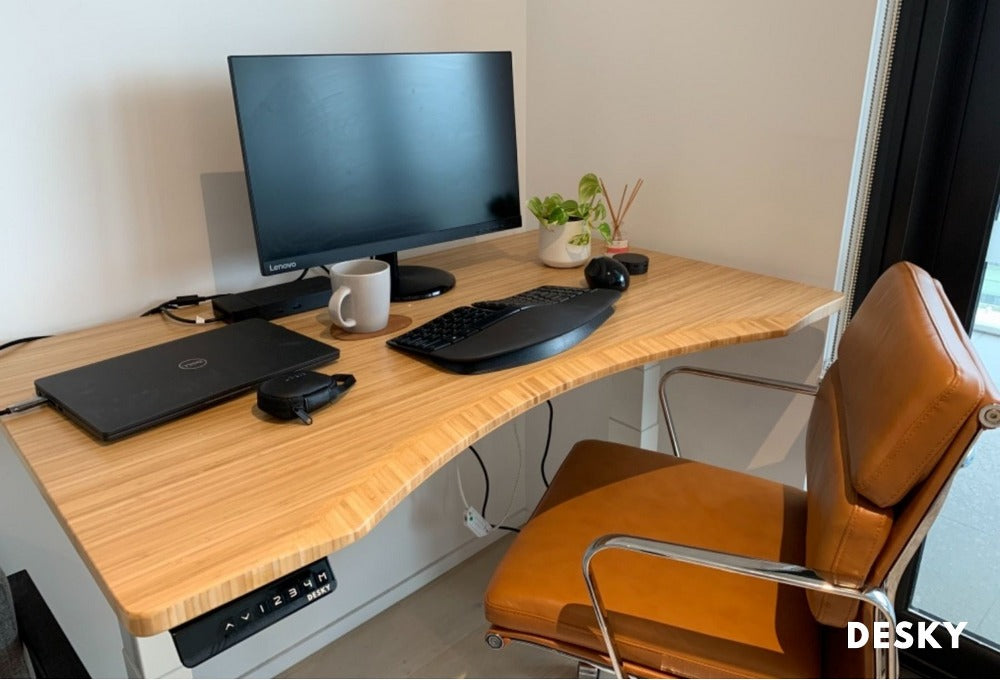
desky ergo edge white bamboo

 Speaking of the desk's surface, make sure that you avoid writing or drawing directly on it. Place any paper on top of a book, writing pad or use a notepad. You should also use a durable mousepad that helps diminish the risk of any scratches.

When using a solid wood desk, do place your desk in a shaded spot and avoid placing your desk in direct sunlight to prevent variation in the wood's colour. Natural sun exposure changes wood and, if severe, can even cause warping. To preserve its finish, you can treat your wooden desk with lemon oil or a light polish.

Don'ts of Desk Care and Maintenance

Never allow any liquids to puddle or leave hot items resting on the surface of your desk. You may even want to place any candles on a coaster or dish to avoid direct heat contact as well as avoid long periods of direct sunlight.

You should never use harsh chemicals to clean your desk, whether that be rubbing alcohol, bleach, acetone or household cleaners like Windex or Lysol. The best way to clean a desk is with warm water and mild liquid soap. Rinse thoroughly, but avoid applying too much water to the surface. Always dry with a clean, dry cloth.

desky ergo matte black bamboo

Do not use your mouse directly on the surface of your desk, and avoid placing sharp objects on the surface. When writing, you should use something beneath your writing surface to avoid scratching your desk by accident.

You should also not apply any wood veneer, paint, stain or lacquer to your desk unless it is specifically suited for the type of material your desk is made from.

How Do You Clean Your Desk?

Cleaning any desk is a lot easier than you may think. You should clean your desk at least once a week to remove any dirt or bacteria. Sanitizing your workspace can be accomplished with mild soap and warm water.

If you notice any stubborn stains or a white ring, as a coffee mug can leave stains by accident, you can use a soft bristle brush and microfiber cloth to gently lift them. It may take some elbow grease and a circular motion, but be patient. Rather than applying an excessive amount of pressure, be persistent and work in more water or soap as needed.

desky dual ergo bamboo

Cleaning chemicals are not suitable for any desk type as it stripes the natural finish off the surface. While they may quickly remove dirt, they also leave your desk more vulnerable. Opt for lemon oil, which is a good cleaning agent with a pleasant scent, instead of household cleaners. Do not ever use nail polish remover, rubbing alcohol or other abrasive chemicals to remove marks or stains from the desk top. Avoid products such as steel wool as well, no matter how stubborn the stain.

How Often Should You Clean Your Desktop?

Once or twice a month should be enough to keep your desk nice and clean. You should also be mindful of any additional reasons for sanitation, such as the flu season or potential exposure to the coronavirus. Always disinfect high-touch surfaces, including your desk drawer handle, keyboard and mouse.

How To Care For Wooden and Timber Desks

Wood desk tops can be cleaned using a damp cloth and gentle soap. Warm water and soap are also suitable for timber desk tops. The most important factor in this instance is choosing the right cleaning product and materials. A damp cloth can easily capture dirt and dust, but it should only be applied once with the cleaning solution. To dry, you will need a clean, absorbent towel or soft cloth to ensure no moisture seeps into wood or timber table tops' porous surfaces.

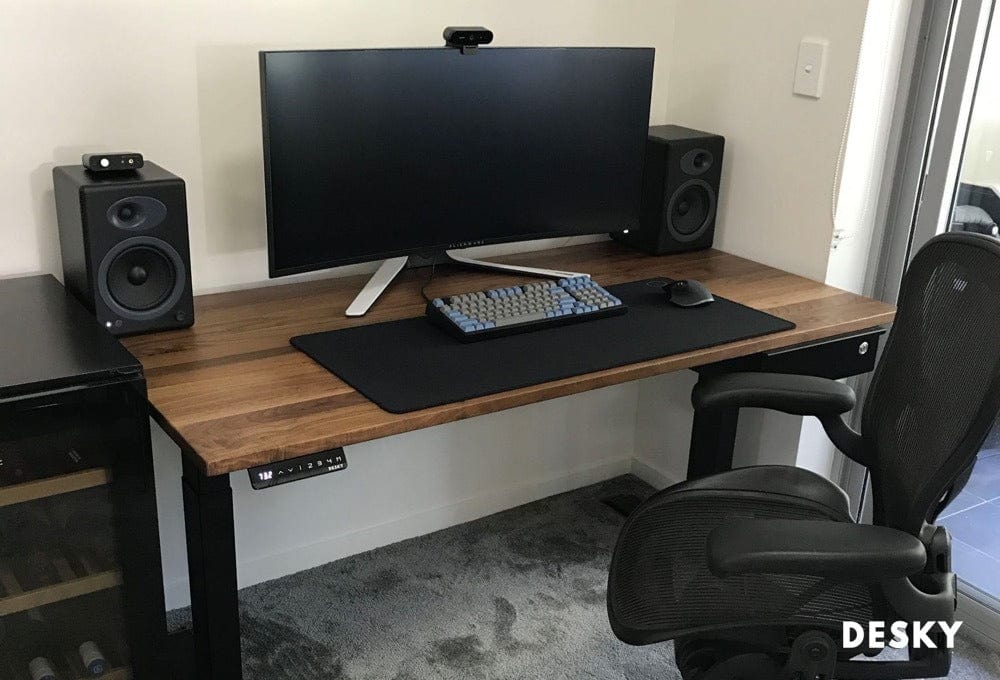
desky hardwood walnut desk

Although it may not be the typical type of wood, a bamboo desktop also requires special care. Bamboo is a highly durable, sustainable option for desk materials. It requires minimal upkeep, but follow these maintenance tips when you clean your bamboo desk.

  1. Thoroughly dust the surface with a feather duster or microfiber cloth before you apply any water or cleaning products.
  2. Use a mild, warm solution of soap and water to gently rinse the surface of the desk.
  3. Use a gentle brush without hard bristles to apply the solution into gaps and crevices.
  4. Dry with a new microfiber cloth or towel, careful to make sure there is no water or soap left behind.

How Do You Clean A Wooden Desk?

Caring for wood desks takes a bit more technique than other materials, but you can maintain yours with the right routine. Follow these cleaning methods to keep your wood desk clean and free of any damages.

  1. Using a soft brush and a weak solution of soap in liquid form can help to remove stains, but do not apply any harsh chemicals.
  2. Dust weekly or as needed with a cloth or feather duster.

How To Care For Melamine and Laminate Desks

Melamine and laminate are also excellent desk materials because they are so easy to maintain. They can withstand plenty of use, and they're suitable for a wide range of activities. Many parents choose melamine and laminate for their children's furniture because they're so easy to clean.

Although it can look just as polished as wood veneer or a wooden desk, laminate comes at a much more affordable cost. It is also much more eco-friendly and one of the most sustainable materials in modern furniture.

desky white melamine desk

Because it's naturally scratch-resistant, you likely won't have many problems with the table top of your laminate desk. However, when it's time to clean, simply follow these tips.

  1. Wash with a gentle cleaning solution that is half warm water and half mild soap. Avoid any harsh detergents or desk cleaners.
  2. Move a clean cloth along the natural path of the laminate's grain to capture any dirt and dust; remove more difficult marks with a lemon oil or mild soap and soft bristled brush or soft cloth.
  3. Never use any ammonia-based products, like bleach, as this can damage the surface of the laminate and cause it to take on a dull, cloudy appearance.
  4. Mix some white vinegar, liquid dish detergent and water to produce a natural cleaning solution that easily lifts grime and leaves your surface clean and sanitized.
  5. Thoroughly dry to ensure no puddles or moisture remains.

Clean Desk, Happy Mind

Keeping your desk clean allows you to work and play with a clearer head space. These suggestions will help you easily maintain your desk, no matter what it's made from or how long you've had it. We hope that this guide has been helpful, and that you'll continue to follow us for more tips and tricks on getting the most out of your desk.

desky desk maintenance care tips


source https://desky.com.au/blogs/news/how-to-care-clean-desk-top

Sunday, November 7, 2021

9 Best Black Friday Deals On Desky’s Standing Desks & Accessories

Happy Holiday Season! At Desky, we're gearing up for all those seasonal sales, including our own, with our upcoming standing desk deals! Given how much we rely on tech and office equipment to live our lives, it's no surprise that the cost of all the best desks, chairs and accessories can quickly add up. If you work from home, then you likely know better than anyone how costly it can be to get all the right gear.

We strive to keep our products affordable all-year long, but thanks to our holiday sales, you can treat yourself to the best standing desk Black Friday deals with these special discounts.

Standing Desk

We couldn't run our Black Friday sales without including our beloved electric standing desk models. From warding off weight gain and back pain to enabling better posture, the right standing desk is a staple in any home office set-up. We have adjustable desk height models for people who want to seamlessly transition from sitting to standing, L-shaped and curved standing desks with more room and even compact desks for small spaces. If you've been on the fence about getting a standing desk because of the cost and are on a budget, these Black Friday deals are perfect for you.

man using laptop on standing desk

Gaming Desk

PC gamers can give their setup a makeover with one of our pro gaming desks. With plenty of space for multiple monitors and even streaming equipment, you'll be able to game in ultimate style and comfort. Enjoy a variety of models that allow you to build the ultimate PC gaming setup from home, whether you run on a laptop or have flashy dual monitors and a custom build. Our gaming sit stand desk is ultra-stable, durable and perfect for the gamer who wants to take health into play during their sessions. Our traditional models feature ergonomic desk top designs for added comfort.

desky gaming desk

Ergonomic Chair

If there's anything you decide to invest in for your home office setup, it should be an ergonomic chair. It's more than just a good call for your comfort; it's a great choice for your health, too. Sitting for long periods comes with an increased risk of weight gain as well as chronic back and neck pain. An ergonomic chair can help take some of the pressure off your posture. Paired with a standing desk, you can alternate between well-supported sitting and some much-needed stretches.

Ergonomic chairs are able to adjust to your height so you have the ideal fit. Between routine breaks away from the computer, you can enjoy personalized comfort at your desk that makes work and play much more enjoyable.

desky ergo pro office chair

Office Sit Stand Active Stool

Active stools are designed to keep you attentive at your desk. If you've been looking for ways to correct poor posture at your desk, then our sit stand active stool is one option to consider. If you're new to a standing desk setup, then you might find it harder and even uncomfortable to be on your feet for long periods of time. An active stool allows you to easily take a break while adjusting to the height of your desk. An ergonomic design ensures you stay upright and alleviate back strain while having a full range of movement.

Our stool is made to move with you, improve posture and help you stay productive. Mindful work can be easier with active sitting that encourages you to stay focused and aligned rather than slouched forward.

desky ergo sit stand bar active stool

Monitor Arms and Risers

Snag one of our adjustable monitor arms and risers as part of our Black Friday sale to give your display a boost. Keeping dual monitors eye-level allows you to seamlessly transition between tasks while prioritizing good posture. Gamers and workers alike can benefit from a monitor arm to give themselves more space, better design and even greater efficiency from their PCs. We'll have a variety on sale this Black Friday for you to customize your setup.

If you're going to invest in a standing desk, you may want to add an adjustable monitor arm as well to make transitioning between sitting and standing easier. Although standing desks are easy to lift and lower, it can be tedious to repeatedly readjust your monitor. Mounting your monitor can free up even more room so your surface is fully available for other essential items.

desky adjustable monitor arms

Cable Management System

Few things are as frustrating as a mangle of cables sprawling from your desk. We'll be offering a variety of office accessories during our Black Friday sale to help you calm the clutter, including cable management organisers designed especially for a sit to stand desk. A cable management system is extremely easy to install and brings much-needed organisation to your workspace. If you game, stream or have a lot of equipment on your desk, a cable management system will make it easy to quickly connect, disconnect and readjust your desk layout as needed.

Part of our essential home organisation equipment is a good cable management system that you can adjust to suit your setup. Dual monitors, a mouse, keyboard, headphones and mic can all quickly clutter your space, but the right system will keep everything nice and neat. For more info, take a look at our guide to organising cables and wires under your desk!

desky cable management channel

Elsafe Surface Charger and Headphone Stand

We're all about making desks great places to be. Whether you're sitting or standing, there are some office accessories that can transform your desk from a simple surface to a reliable piece of equipment in your life. The Elsafe Surface Charger works with any desk to bring you a clutter-free alternative to charging your phone. By mounting under the table, this charger allows you to place your phone on top of the desk and receive a quick, strong charge with up to 10W of power. Discounts on our headphone stand will allow you to tidy up even further; simply stand it on your desk and mount your headphones for safekeeping when you aren't using them.

desky black headphone stand

Desky Pedestal Cabinet and Drawers

Our Pedestal Cabinets and desk drawers are perfect for anyone who needs to add some sleek and straightforward organisation to their office space. They're compact enough to accommodate any space but roomy enough to hold everything from your phone and chargers to a keyboard or paperwork. When you're working from home, it can be hard to separate work from play. Investing in a cabinet or desk drawer allows you to minimize distractions during the job and easily put work away when you're done for the day.

desky eternity slimline mobile pedestal

Our exclusive Black Friday deal starts soon, so take a look at our huge range of sit stand desks now and plan ahead! Inventory moves fast, and we want everyone to get what their hearts are set on. With the coming Black Friday desk deals, you’ll be able to revamp your office or give it a pick-me-up that gives back year-round. Shop online and get the best standing desk deals right here at Desky!


source https://desky.com.au/blogs/news/desky-black-friday-sales

Tuesday, October 26, 2021

Cool Gaming Desk Accessories Every Gamer Should Have

You don't have to be a pro to play like one. Setting up your dream gaming setup isn't as hard as you might think. Whether you're a regular streamer or casual solo player, the right desk space can transform your gaming experience. Don't think your PC gets all the glory, either. We're talking about some of the cool gaming desk accessories that every gamer should have on their desk. These gaming desk accessories are more than just high-tech splurges that collect dust. They take your play to the next level, boosting comfort and maximizing health, flexibility and, of course, style.

Check out the list below to start designing your gaming desk setup with our round-up of important gaming desk accessories.

Standing Desk

sit stand ergonomic gaming desk

Most gamers spend their time behind the mouse seated in a gaming chair, but this can take a serious toll on your back and neck if your gaming desk height is not ideal. Poor posture is one of the most common ailments that affect gamers, but an ergonomic gaming desk can help correct this part of your gaming experience. With a standing desk, you can perform routine exercise, improve blood circulation and keep your spine and neck aligned.

Our Alpha Dual Sit and Stand Gaming Desk offers the best of both worlds, so you can adjust your gaming desk to suit your needs. Stay standing when you're exploring a new world, but easily sit down when the next boss battle gets serious.

For greater desk space, our Sigma L-shape gaming desk features a sit-stand frame that can hold even the most intense gaming setup. For streamers and YouTubers, this desk offers plenty of space for all your hardware and recording equipment. Now that you've got an adjustable height gaming desk setup, let's consider your gaming chair and enhance your gaming experience!

Ergonomic Chair

black ergonomic chair

Another way to combat poor posture from gaming is to invest in an ergonomic chair. Both ergonomic gaming chairs and office ergonomic chairs are suitable to address posture issues, but the gaming chair you purchase should have the ability to adjust and customize its positioning. Many gaming chairs look cool, but they don't offer the flexibility and back support that an ergonomic office chair does. For that reason, you should avoid buying a gaming chair based on looks alone. Read up on ergonomic chairs' features to make sure that the gaming chair of your choice gives you the ability to adjust its arm rests, back and seat.

Monitor Arms and Stands

computer monitors installed with monitor mounts

Your monitor stand should be eye-level to avoid the dreaded tech neck. Both standing desks and regular desks can support a monitor mount. There are single and dual monitor arms to suit every desk setup, whether you have just one monitor or a second monitor for gaming purposes. Your monitor stand or monitor mount is one of the most essential gaming desk accessories that allow you to correct poor posture, reduce neck strain and create a sleek design for your setup. Our monitor stand is all about creating a fluid gaming experience that can work for standing desks or seated models. Your gaming desk setup and every desk accessory should be adjustable, so you're always able to game however you want, whenever you want.

In-desk Wireless Charger

in-desk charger

There are a lot of cool gaming desk accessories that don't have anything to do with the actual games. Instead, they're all about creating the perfect desk setup. Smartphones give gamers an easy way to access social media, look up helpful tips and walk-through guides without leaving the game. You can keep yours close by and fully charged at all times with in-desk power and chargers like the awesome Elsafe ARC-H surface charger desk accessory which attaches under your desk. No more needless cords have to clutter your space. All you have to do is place your smartphone on top of your desk and your phone will magically start charging. Don't forget to check out the compatibility for your smartphone model before buying any chargers for your gaming desk!

Noise-Cancelling Headphones

Sound is one of the most immersive features of many games, but it can be hindered by outside noise. Traffic, TVs and even just other members of the household talking can all filter in and disrupt your gaming experience with your team mates. A good pair of noise-cancelling headphones will give you the highest quality, surround-sound audio for greater immersion and better concentration. There are several variations on the market, including a wireless gaming headset and ones with built-in mics. Shop around to find one that suits your tastes and budget; we recommend a wireless gaming headset that goes over the head and fully covers the ears. This will block out the most noise and be more comfortable for long periods of time, as well as not have any pesky wires getting in the way of your game.

Headphone Stand

Desky headphone stand

Once you've got your headphones, you don't just want to leave them thrown on your desk. This is a good way for the wires to get tangled and eventually start faulting out. A sleek headphone stand like our Desky Premium Headphone Stand will let you keep your gaming headset neatly arranged, and let's be honest, it looks pretty great, too. You'll feel like a pro every time you step into your game space and pluck your headphones off their dedicated stand.

If you stream, then you may have a gaming headset and other headphones that you use for different games. You may also be a tech-lover like us and own several models that work better for different types of sound. Whatever the case, a good stand will let you store them in style and always keep them close by.

Mouse Pad

Desky sit stand desk and mouse pad

If you have a gaming PC, then you likely have a pretty epic gaming mouse, too. But what's it resting on? A flat surface or book can lead to wrist strain and even slow down your response times, so going with a mouse pad is best. An ergonomic mouse pad offers ample support and a smooth glide that prevents carpal tunnel and keeps your cursor moving fluidly. Make sure that your one mouse pad also has a low-friction, easy-to-clean surface.

If you're the type of gamer that loves to play in a neon-lit, darkened room, then our LED gaming mouse pad could be the perfect fit. Not only is it an ergonomic mouse pad designed specially for gamers, its sleek, straightforward design is perfect for customizing your space.

Webcam/Camera for Streaming

If you stream or record videos, then you'll want to get a camera that captures you in full HD. Visibility among serious gamers is a fierce competition, which means quality makes all the difference. You can mount the camera on a stand or desk tripod that easily captures your face without impacting game performance; if you have a GoPro, it can easily double as a streaming camera. You just have to mount it at the right height for the perfect angle. Show 'em what a game face really looks like!

You should be able to sync your camera up with wireless headphones or a microphone to capture the highest quality sound footage with no problem. Most gamers who stream or record tend to use separate audio devices that produce higher quality sound. Having two copies of your gaming audio also prevents footage loss if one source is corrupted.

Cable Management System

cable management organizer

Gaming desks tend to hold a lot more than just a mouse and keyboard. Between dual monitors, a camera, gaming headset and other accessories, you can quickly find yourself wrestling with a massive tangle of cords that are hard to keep organised. Integrated cable management organisers like a wire organizer that can clip right under your desk will make clean-up a cinch. You'll be able to neatly align all your cords, hook them up or disconnect without wondering what goes where. If you have an adjustable standing desk, then you'll especially want a wire organizer that allows for easy movement without accidental unplugging.

If you work from the same desk you game at, a cable management system and wire organizer is even more valuable. You'll never have to worry about cable clutter getting in the way of your job again. You'll also be able to easily disconnect anything work-related and switch to gamer mode after your shift ends just like many gamers who are truly hardcore.

LED Lighting

sit stand desk with led lightning

A desk lamp is one thing, but an LED gaming desk setup is another entirely. RGB lighting or LED lighting strips can easily transform your workspace into a gamer's paradise after hours. Our Desky Ergonomic T LED Gaming Desk takes your gaming to the next level with multi-coloured ambient lighting.

Prefer custom LED lighting? If you've always envied those neon-lit backgrounds on Twitch, then you may want to check out Nanoleaf. The smart lighting company makes incredible LED lighting and home decor that will help you craft the perfect gaming setup. Long gaming sessions in a dark room can lead to eye strain, but LED lighting offers soft illumination in a variety of soothing colours so you can select your ideal color combination.

As you choose lighting for your desk setup, consider your budget and space. In some cases, you may find a desk lamp is more effective for compact areas. The easiest alternative when it comes to LED lights is switching to an LED color bulb instead. You can even buy smart LED bulbs that can have their color and brightness adjusted through an app on your phone.

USB Hub

A USB hub

You'll always have a connection within arm's reach with a desk USB hub. Your phone, audio gadgets, desk lamp, controllers and other gaming accessories all need a USB port to charge, but the two average on gaming PCs aren't enough. A USB hub will allow you to have multiple devices connected at the same time without conflict. Using a hub with USB ports instead of multiple outlets can also be more energy efficient and its compact design means you'll have more space on your desk.

If you have a gaming PC, then a USB hub is also a great addition to your cable management system. While it may not be able to support every wire that comes across your desk, you can easily arrange it so it keeps wires from stretching every which way. If you game on your laptop, then a USB hub can allow you to connect several additional devices at a time. This means all the features of a keyboard, mouse and controller can all be used in tandem with multiple USB ports.

Compressed Air Cans

A keyboard can collect dust and dirt that impact performance and even cause some keys to stop working. Compressed air cans might not be the most impressive looking gaming accessories, but they make a huge difference. Compressed air can be used as a dust blower to remove any dirt and debris from your keyboard and other PC parts easily. You won't have to dismantle anything, and a few puffs of air can keep your gaming setup looking clean and new for years with this simple dust manager hack.

Gaming Mouse and Keyboard

Sit stand desk with gaming mouse and keyboard

A gaming keyboard allows you more surface area for you to move around, but it also tends to offer greater support and feedback. A gaming mouse is ergonomically designed for long gaming sessions that a typical mouse wouldn't be able to hold up to. There are tons of mouse and keyboard options out there for every level of gamer and style; look into some that have RGB lighting for reduced eye strain and a dash of style.

Some factors to consider when choosing a gaming keyboard and mouse are:

  • The overall size and your desk space.
  • Key layout and durability.
  • Mechanical or membrane key technology.
  • Mouse design and size in comparison to your dominant hand.
  • Additional mouse buttons and scroll wheel.
  • Wireless vs. wired gaming mouse with USB cable.
  • RGB lighting and additional features.

Microphone Stand

Streamers and YouTubers will need a sturdy mic stand to capture their commentary without any mishaps. One of the gaming desk accessories you'll want if you share your gameplay is a mic stand. It can be adjusted to a standing desk, or you can move it around as you arrange your gaming setup. You can position it at the optimal distance to record your voice clearly without any static or breathy interference.

A microphone stand is a must-have for anyone who wants to get into streaming. If you've been using boxes, books or other homemade substitutes, you're prone to falls and disruptions that throw off your entire stream. If you make videos, one slip or bang can mess up the entire footage. A mic stand makes a huge difference, and you'll find the streaming experience much more enjoyable with one always within arm's reach.

Stream Deck

A stream deck

Anyone who's ever tried to stream before knows it's not just plug and play. Streaming requires multitasking. You're a gamer, entertainer and content creator. If you are partnered or aspiring to be, a stream deck could help you take your channel to the next level. Ever wonder how the pro Twitch streamers manage everything so flawlessly? It's all thanks to this handy piece of hardware.

A stream deck is something you'll find on many gaming desks, but you might not know what it is at first glance. It seems complicated, but the UI isn't as intimidating as it appears at first glance. With a stream deck, you can streamline your entire setup to be operated with the press of a button. OSB, Twitch, YouTube and more tools are all able to be connected to your deck. Audio devices can also be easily switched on and off for instant capture. All in all, this is a great investment for the streamer who wants to wow their audience and create flawless content.

Your Game, Your Rules

There is an infinite realm of creative possibilities when designing your ultimate gaming desk setup. Whether you've got an entire room dedicated to playing or just want to deck out a nook in your apartment with the best gaming desk accessories, we've got everything you need. From wire organizers to LED lights and other desk accessories, we hope this post inspired you to upgrade your desk setup. Shop our Desky range of products now to find the gaming desk of your dreams.


source https://desky.com.au/blogs/news/best-gaming-desk-accessories

How To Organise Messy Cables, Cords & Wires Under Your Desk

You've probably heard the old adage 'tidy desk, tidy mind': but from where we're standing, keeping your desk space free from clutter can give you so much more than peace of mind. Computer cables are not only unsightly and distracting; they can be downright dangerous.

The point is, if you're working in the office, bad cable management can not only lead to accidents, but give your boss the impression you're lazy and disorganized - and perhaps even not to be relied upon. And god forbid they trip over an errant cable!

If you're working from home, you don't want cables and wires messing up the place. Nor do you want to be face planting each time you pass the desk. Learning how to organize cables under desk, luckily, isn't that difficult at all.

Read on for step by step instructions, tips to follow and oodles of cable management ideas to try, from zip ties, tape and wooden boxes with an opening, to dedicated cable channels. Learning how to hide cables effectively could be your route to a superior desk setup (with very little investment!).

Steps

Unplug Everything

This might seem obvious, but the first step in upgrading your cable management is unplugging the lot, including the power strip from the wall. Once the power strip is empty, you are not only safe from electrocution, but you will actually be able to untangle your cables, which is kind of important.

Once your plugs are all unplugged, it's time to get thinking. Having a plan is essential before you begin to hide wires and declutter your workspace. You now have a clean slate to work from, so it's time to reimagine your workspace.

cables, cords and wires underneath a working table

Sort What You Need and Visualise The Best Route

Identify each and every device that needs plugging in, and then think about where each of these are best positioned on your desk. You want the cable to run from machine to power strip without crossing over too many other cables. Ideally you should conceal the cables underneath the desk, with no cable hanging where it can be snagged.

How exactly this will work will depend on your personal desk setup, so you need to organize cables dependent on this. How you mount your monitors and position your computer and keyboard will directly effect your decision making here. With this in mind, you should be able to plan where each cord needs to go.

Also think about the route from the power strip, across the ground to the plug on the wall. Power cords need to be positioned carefully and secured to the wall, or to the floor when they pass across the ground. The point here is safety and avoiding hazards that can lead to serious accidents.

If you have a standing desk, you need to consider the fact that your desktop will be raised, so keeping your power strip under the desk makes the most sense. Many desk cable management systems are purpose made to do this very job, so maybe visualise one of these too.

But of course, if you're more hands on then you might prefer to use zip ties and masking tape to secure your cables. Whatever you're imagining, get this bit right before you use zip ties to hide cords.

Think about all the extras you need to organize too: where will you plug in your charging cord if you sometimes use your laptop? Not to mention your smartphone chargers, speaker, lamps, and all the other things you need to organize and make your workspace complete. You want to be able to hide as much as you can.

Position Your Power Boards

With Desky's integrated cable management and power strip channel, moving the power boards is super easy for a reason: positioning your power boards is killer if you want the best cable management setup. If you have your tower off to the left and your monitors central, you don't want the cables running right across to a power strip on the right.

power cables underneath sit stand desk

It might seem obvious, but you'd be amazed how many desk cable management setups get this wrong. You'll also want to think about mounting the wire from the power strip to the wall. Ideally you want to mount the cable to the floor between the desk and the plug to minimise trip hazards, so make sure your all-round positioning leaves a little bit of room.

Shorten Up Your Cables

Now, even if you nail the two points above here, you are often going to have excess cable. That's where velcro strips, twist ties, and cable ties can all play a role. Zip ties are useful not only to secure your cables to table legs, you can shorten your cables by doubling and then securing however you see fit.

Some prefer velcro for the flexibility and ease of removal, and if you often move your set up around they're ideal - but perhaps a little less secure than a more traditional cable or twist tie.

Label Your Wires

We've probably all got a memory of trying to trace a cable back through the tangle from the power strip, to find out what in fact it is powering. We all have to get under desk and fiddle about sometimes, so why not do your future self a favor and label your wires, saving a lot of hassle and (hopefully) banged heads.

Tools To Help Organise Your Messy Cords Behind Your Desk

Under Desk Cable Management Trays

To keep your cables out of sight and mind, under desk cable management organizers are the go-to for standing and static desk users alike. Integrating the power strip into the cable management via screws means that all the cables that would otherwise stick out the back of your desk will be replaced with one from the power strip to the wall. If you are sick of the mess of cords and want an easy solution, this could well be for you.

under desk cable tray

Desky's Integrated Cable and Power Channel, and Cable and Power Tray both have this capacity. It brings together all of our best cable management ideas into one integrated and easy to use system. For those who want something a little simpler though, the Desky Prodigy Cable Management Basket will keep all the cables out of the way (but you'll have to think of where to plug them in).

Cable Grommets

Cable grommets are probably the most common and a great way of funneling the cables off of your desktop to the plugs beneath. If you're scratching your head as to what a cable grommet is, well you've probably seen the little round thing at the back of some desks with a cover-able hole - that's the guy. Those little holes are meant to help you organize your cables.

Cable grommets save you stretching your wires around the back of your desk and keep the whole thing looking nice and neat. Combined with under desk cable management, they are key to providing a seamless route from your devices to the plug in the wall.

Cable Organiser Strips

You can think of these like a pared-back cable tray, doing the same job only on a smaller scale to avoid mess. Cable organiser strips are useful for very small setups, where less is more, and much larger setups, where even cable management trays need a helping hand carrying the cords the distance to the power strip.

Adhesive Cable Clips/Velcro Strips

cable strips

For those who prefer slightly less engineered solutions, you can of course use adhesive cable clips and velcro strips instead of, or alongside all of the above. They're great for keeping wires flush to desk legs, and your monitor and computer cable out of harm's way.

They're also great to help shorten wire length, and can be used to bundle excess cable to help hide it from view. And they're extra useful if your desk is not fitted with a grommet, to keep the cables neat and out of the way of errant hands (thus keeping your monitor on the desk).

Another advantage of these, and more lo-fi solutions like zip ties and cable ties, is that they allow you to change configurations easily and frequently.

Wooden Box

wooden box for cable management

For those on a budget, a simple wooden box with holes at various ends can do the job. You can place a powerboard inside the box and individual cables can be fed through the holes, with wires neatly hidden inside the box and kept safe behind your desk. Arguably not the easiest way of doing the job as you would need to carefully fit all your cables inside the box, but for those with the inclination a perfectly viable option.

Cord Protector / Cord Sleeves

With the best will (and cable management) in the world, your cables can still get damaged. Cord protectors and cord sleeves can wrap your cables and pick up the slack where your desk cable management can't reach, protecting from wear and tear, and the cord wrap will shield from damage should an accident occur.

Cable Management for Standing Desks

There's no doubt that setting up a standing desk requires a little more thought than its static forefather. Your monitor and keyboard placement needs to work for the times when you're sitting and when you're standing.

For many this necessitates the mounting of monitors, and many choose to use adjustable monitor arms to mount their screens. This means that it's not only your standing desk that needs to be mobile, the components of the best desk setup need to be able to move freely up and down too.

cable management tray underneath sit stand desk

For this reason, standing desks, more than any other, other require careful and thoughtful cable management, for example, under desk cable management that will mount to your desk with screws. The last thing you want when you raise your desk is to have your power strip rooted to the floor, any more than you want all of your individual power cables stretched to capacity when standing. You'll never have to worry about individual cable length again when you organize cables with a cable channel mounted under your desk.

This is why our Desky integrated cable and power channel exists with holes for your cables. When you're mounting your power strip under the desk with screws instead of placing it on the wall or floor, no matter what elevation you have your standing desk at, your individual cables will be effortlessly moved up and down together with your desk top. A single power strip will also make it easier to switch power on and off.

Why Organise The Wires Behind Your Desk?

Safety

Slips, trips and falls account for the majority of office accidents, and guess what: loose cables are one of the main culprits. Loose wire in the work place, and your personal workspace, can easily lead to a fall, and if you're unlucky, an injury.

Of course, in communal settings this is the most important. Cables throughout the office should be hidden or secured firmly to floors or walls where possible. But cable management starts with your desk and your work space.

Cables hanging out of the back of desks are a potential hazard to anyone passing by, and any loose power cables on the floor could easily trip a passerby (or you). Having the power cut from your computer is one thing, but explaining to your boss why Julie from accounts is in hospital is quite another.

And with more and more of us working from home, for many that means children running around in the same space as your desk with the risk of tripping over cable clutter or unplugging the internet by accident. Do the right thing and tape or tuck those cables out of harm's way - you'll also free up so much space.

power board under desk

First Impressions

You've heard this one before: but first impressions do count. Whether it's a client, your boss or colleagues, or a visitor to your home, no one will be impressed to see a bunch of uncontrolled connection wires hanging from your computer.

If you want to give the impression of someone who knows what they're doing, you need to have at least mastered your own desk. A properly thought through desk setup will organize cables in a tidy manner and have all devices plugged in neatly on the underside of their desk, out of sight, showing you to be someone who is control of their environment.

Durability

A good desk is an investment. So is a PC, and all the accessories you're putting together for your workspace. So of course, these are all things that you want to last for as long as possible. Whether it's your room at home or the office, your equipment can easily be damaged.

Making sure your wires and cables are out of the way when plugged in will protect your setup and help it last into the future.

Calm Your Inner OCD

As I said earlier, a tidy desk = a tidy mind. If you're like me, you'll feel uneasy and around tangled cords and untidy cabling. In just the same way I need to keep my monitor aligned exactly with my desk, and my mousepad perfectly aligned too (for no good reason), I need those cables neatly tucked up and out of my view, preferably on the underside or edge of my standing desk.

a tidy working desk

You might be surprised by the zen-like qualities of proper desk cable management. There's the peace of mind from knowing you're not creating a any hazards of course, and that your clients or colleagues won't be criticising your unsightly workstation as you sit or stand. But there's also the simple satisfaction of knowing everything's in its right place.

Saves Time

When you do need to get under your desk and start pulling out cables, you're going to need a lot more time to unplug and untangle them when you organize, if they're a tangled mess. Properly organized and labelled cables however are a dream to unplug and replace, and you'll thank yourself for having been so thoughtful.

With proper, thoughtful cable management and the tips we've shared above, there is no need for mess or clutter when you connect your devices. It's easy to declutter and organize your workspace with so many cable management options available. Not only will it help you project the professional image you want at work and increase productivity, it could keep you, your colleagues or even your family safe from harm. So if you still have a mess of wires behind your desk, perhaps now is the point that you should tidy up and make the switch to dedicated cable management. Good luck! Take a look at the Desky Australia range of standing desks and cable management accessories and remove clutter today.


source https://desky.com.au/blogs/news/how-to-organise-cables-under-desk

Monday, October 25, 2021

How To Organise Messy Cables, Cords & Wires Under Your Desk

You've probably heard the old adage 'tidy desk, tidy mind': but from where we're standing, keeping your desk space free from clutter can give you so much more than peace of mind. Computer cables are not only unsightly and distracting; they can be downright dangerous.

The point is, if you're working in the office, bad cable management can not only lead to accidents, but give your boss the impression you're lazy and disorganized - and perhaps even not to be relied upon. And god forbid they trip over an errant cable!

If you're working from home, you don't want cables and wires messing up the place. Nor do you want to be face planting each time you pass the desk. Learning how to organize cables under desk, luckily, isn't that difficult at all.

Read on for step by step instructions, tips to follow and oodles of cable management ideas to try, from zip ties, tape and wooden boxes with an opening, to dedicated cable channels. Learning how to hide cables effectively could be your route to a superior desk setup (with very little investment!).

Steps

Unplug Everything

This might seem obvious, but the first step in upgrading your cable management is unplugging the lot, including the power strip from the wall. Once the power strip is empty, you are not only safe from electrocution, but you will actually be able to untangle your cables, which is kind of important.

Once your plugs are all unplugged, it's time to get thinking. Having a plan is essential before you begin to hide wires and declutter your workspace. You now have a clean slate to work from, so it's time to reimagine your workspace.

cables, cords and wires underneath a working table

Sort What You Need and Visualise The Best Route

Identify each and every device that needs plugging in, and then think about where each of these are best positioned on your desk. You want the cable to run from machine to power strip without crossing over too many other cables. Ideally you should conceal the cables underneath the desk, with no cable hanging where it can be snagged.

How exactly this will work will depend on your personal desk setup, so you need to organize cables dependent on this. How you mount your monitors and position your computer and keyboard will directly effect your decision making here. With this in mind, you should be able to plan where each cord needs to go.

Also think about the route from the power strip, across the ground to the plug on the wall. Power cords need to be positioned carefully and secured to the wall, or to the floor when they pass across the ground. The point here is safety and avoiding hazards that can lead to serious accidents.

If you have a standing desk, you need to consider the fact that your desktop will be raised, so keeping your power strip under the desk makes the most sense. Many desk cable management systems are purpose made to do this very job, so maybe visualise one of these too.

But of course, if you're more hands on then you might prefer to use zip ties and masking tape to secure your cables. Whatever you're imagining, get this bit right before you use zip ties to hide cords.

Think about all the extras you need to organize too: where will you plug in your charging cord if you sometimes use your laptop? Not to mention your smartphone chargers, speaker, lamps, and all the other things you need to organize and make your workspace complete. You want to be able to hide as much as you can.

Position Your Power Boards

With Desky's integrated cable management and power strip channel, moving the power boards is super easy for a reason: positioning your power boards is killer if you want the best cable management setup. If you have your tower off to the left and your monitors central, you don't want the cables running right across to a power strip on the right.

power cables underneath sit stand desk

It might seem obvious, but you'd be amazed how many desk cable management setups get this wrong. You'll also want to think about mounting the wire from the power strip to the wall. Ideally you want to mount the cable to the floor between the desk and the plug to minimise trip hazards, so make sure your all-round positioning leaves a little bit of room.

Shorten Up Your Cables

Now, even if you nail the two points above here, you are often going to have excess cable. That's where velcro strips, twist ties, and cable ties can all play a role. Zip ties are useful not only to secure your cables to table legs, you can shorten your cables by doubling and then securing however you see fit.

Some prefer velcro for the flexibility and ease of removal, and if you often move your set up around they're ideal - but perhaps a little less secure than a more traditional cable or twist tie.

Label Your Wires

We've probably all got a memory of trying to trace a cable back through the tangle from the power strip, to find out what in fact it is powering. We all have to get under desk and fiddle about sometimes, so why not do your future self a favor and label your wires, saving a lot of hassle and (hopefully) banged heads.

Tools To Help Organise Your Messy Cords Behind Your Desk

Under Desk Cable Management Trays

To keep your cables out of sight and mind, under desk cable management trays are the go-to for standing and static desk users alike. Integrating the power strip into the cable management via screws means that all the cables that would otherwise stick out the back of your desk will be replaced with one from the power strip to the wall. If you are sick of the mess of cords and want an easy solution, this could well be for you.

under desk cable tray

Desky's Integrated Cable and Power Channel, and Cable and Power Tray both have this capacity. It brings together all of our best cable management ideas into one integrated and easy to use system. For those who want something a little simpler though, the Desky Prodigy Cable Management Basket will keep all the cables out of the way (but you'll have to think of where to plug them in).

Cable Grommets

Cable grommets are probably the most common and a great way of funneling the cables off of your desktop to the plugs beneath. If you're scratching your head as to what a cable grommet is, well you've probably seen the little round thing at the back of some desks with a cover-able hole - that's the guy. Those little holes are meant to help you organize your cables.

Cable grommets save you stretching your wires around the back of your desk and keep the whole thing looking nice and neat. Combined with under desk cable management, they are key to providing a seamless route from your devices to to the plug in the wall.

Cable Organiser Strips

You can think of these like a pared-back cable tray, doing the same job only on a smaller scale to avoid mess. Cable organiser strips are useful for very small setups, where less is more, and much larger setups, where even cable management trays need a helping hand carrying the cords the distance to the power strip.

Adhesive Cable Clips/Velcro Strips

cable strips

For those who prefer slightly less engineered solutions, you can of course use adhesive cable clips and velcro strips instead of, or alongside all of the above. They're great for keeping wires flush to desk legs, and your monitor and computer cable out of harm's way.

They're also great to help shorten wire length, and can be used to bundle excess cable to help hide it from view. And they're extra useful if your desk is not fitted with a grommet, to keep the cables neat and out of the way of errant hands (thus keeping your monitor on the desk).

Another advantage of these, and more lo-fi solutions like zip ties and cable ties, is that they allow you to change configurations easily and frequently.

Wooden Box

wooden box for cable management

For those on a budget, a simple wooden box with holes at various ends can do the job. You can place a powerboard inside the box and individual cables can be fed through the holes, with wires neatly hidden inside the box and kept safe behind your desk. Arguably not the easiest way of doing the job as you would need to carefully fit all your cables inside the box, but for those with the inclination a perfectly viable option.

Cord Protector / Cord Sleeves

With the best will (and cable management) in the world, your cables can still get damaged. Cord protectors and cord sleeves can wrap your cables and pick up the slack where your desk cable management can't reach, protecting from wear and tear, and the cord wrap will shield from damage should an accident occur.

Cable Management for Standing Desks

There's no doubt that setting up a standing desk requires a little more thought than its static forefather. Your monitor and keyboard placement needs to work for the times when you're sitting and when you're standing.

For many this necessitates the mounting of monitors, and many choose to use adjustable monitor arms to mount their screens. This means that it's not only your standing desk that needs to be mobile, the components of the best desk setup need to be able to move freely up and down too.

cable management tray underneath sit stand desk

For this reason, standing desks, more than any other, other require careful and thoughtful cable management, for example, under desk cable management that will mount to your desk with screws. The last thing you want when you raise your desk is to have your power strip rooted to the floor, any more than you want all of your individual power cables stretched to capacity when standing. You'll never have to worry about individual cable length again when you organize cables with a cable channel mounted under your desk.

This is why our Desky integrated cable and power channel exists with holes for your cables. When you're mounting your power strip under the desk with screws instead of placing it on the wall or floor, no matter what elevation you have your standing desk at, your individual cables will be effortlessly moved up and down together with your desk top. A single power strip will also make it easier to switch power on and off.

Why Organise The Wires Behind Your Desk?

Safety

Slips, trips and falls account for the majority of office accidents, and guess what: loose cables are one of the main culprits. Loose wire in the work place, and your personal workspace, can easily lead to a fall, and if you're unlucky, an injury.

Of course, in communal settings this is the most important. Cables throughout the office should be hidden or secured firmly to floors or walls where possible. But cable management starts with your desk and your work space.

Cables hanging out of the back of desks are a potential hazard to anyone passing by, and any loose power cables on the floor could easily trip a passerby (or you). Having the power cut from your computer is one thing, but explaining to your boss why Julie from accounts is in hospital is quite another.

And with more and more of us working from home, for many that means children running around in the same space as your desk with the risk of tripping over cable clutter or unplugging the internet by accident. Do the right thing and tape or tuck those cables out of harm's way - you'll also free up so much space.

power board under desk

First Impressions

You've heard this one before: but first impressions do count. Whether it's a client, your boss or colleagues, or a visitor to your home, no one will be impressed to see a bunch of uncontrolled connection wires hanging from your computer.

If you want to give the impression of someone who knows what they're doing, you need to have at least mastered your own desk. A properly thought through desk setup will organize cables in a tidy manner and have all devices plugged in neatly on the underside of their desk, out of sight, showing you to be someone who is control of their environment.

Durability

A good desk is an investment. So is a PC, and all the accessories you're putting together for your workspace. So of course, these are all things that you want to last for as long as possible. Whether it's your room at home or the office, your equipment can easily be damaged.

Making sure your wires and cables are out of the way when plugged in will protect your setup and help it last into the future.

Calm Your Inner OCD

As I said earlier, a tidy desk = a tidy mind. If you're like me, you'll feel uneasy and around tangled cords and untidy cabling. In just the same way I need to keep my monitor aligned exactly with my desk, and my mousepad perfectly aligned too (for no good reason), I need those cables neatly tucked up and out of my view, preferably on the underside or edge of my standing desk.

a tidy working desk

You might be surprised by the zen-like qualities of proper desk cable management. There's the peace of mind from knowing you're not creating a any hazards of course, and that your clients or colleagues won't be criticising your unsightly workstation as you sit or stand. But there's also the simple satisfaction of knowing everything's in its right place.

Saves Time

When you do need to get under your desk and start pulling out cables, you're going to need a lot more time to unplug and untangle them when you organize, if they're a tangled mess. Properly organized and labelled cables however are a dream to unplug and replace, and you'll thank yourself for having been so thoughtful.

With proper, thoughtful cable management and the tips we've shared above, there is no need for mess or clutter when you connect your devices. It's easy to declutter and organize your workspace with so many cable management options available. Not only will it help you project the professional image you want at work and increase productivity, it could keep you, your colleagues or even your family safe from harm. So if you still have a mess of wires behind your desk, perhaps now is the point that you should tidy up and make the switch to dedicated cable management. Good luck! Take a look at the Desky range of standing desks and cable management accessories and remove clutter today.


source https://desky.com.au/blogs/news/cable-management-under-desk

Your New Favorite Standing Desk - That's Desky!

Watch video on YouTube here: https://youtu.be/5dA6jh4aHpU